
GovHub Batangas
Apply, pay fees, book appointments, report issues, learn new skills and carry your Digital Batangas ID, all from your phone.
Or register a new citizen account. Payments run in Sandbox mode.
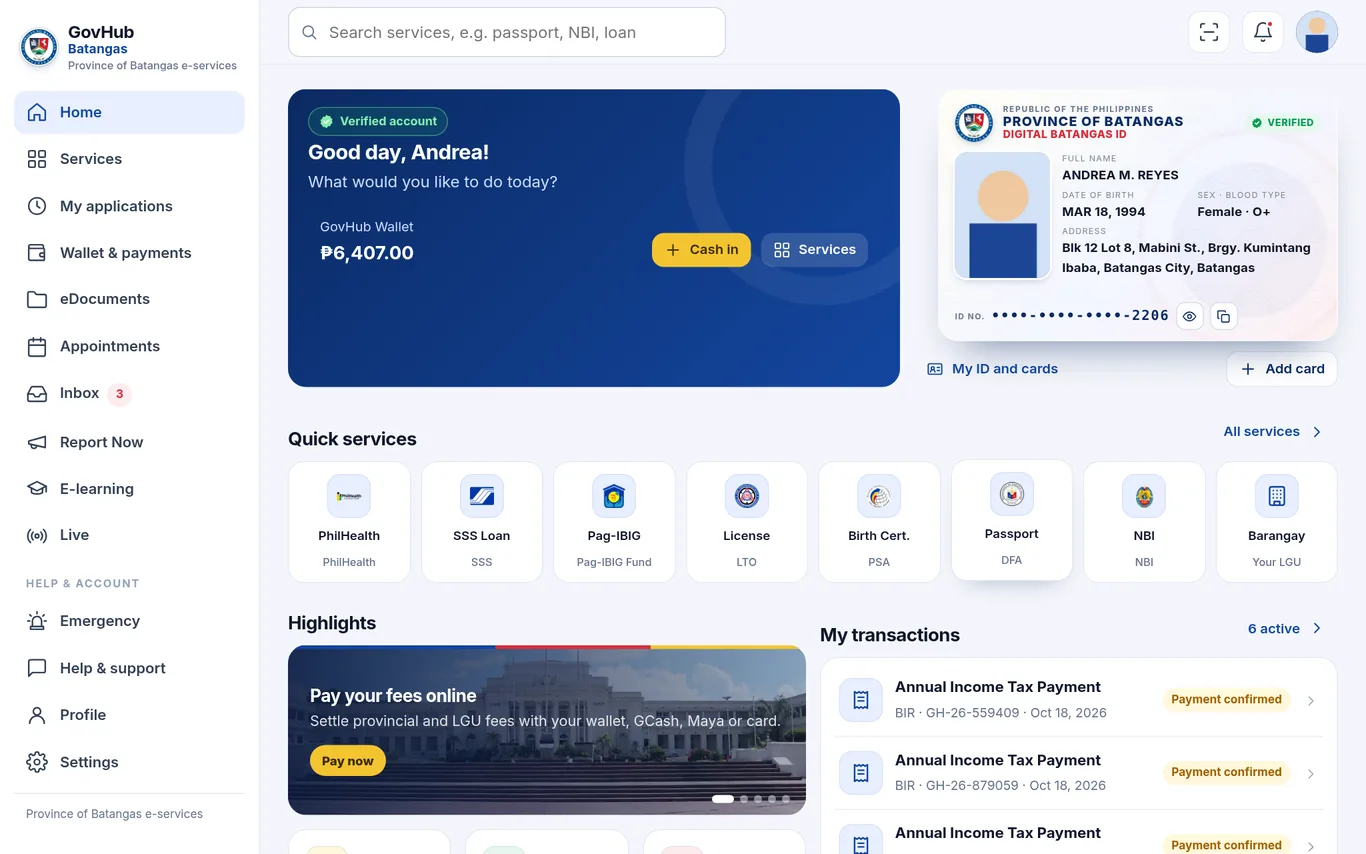
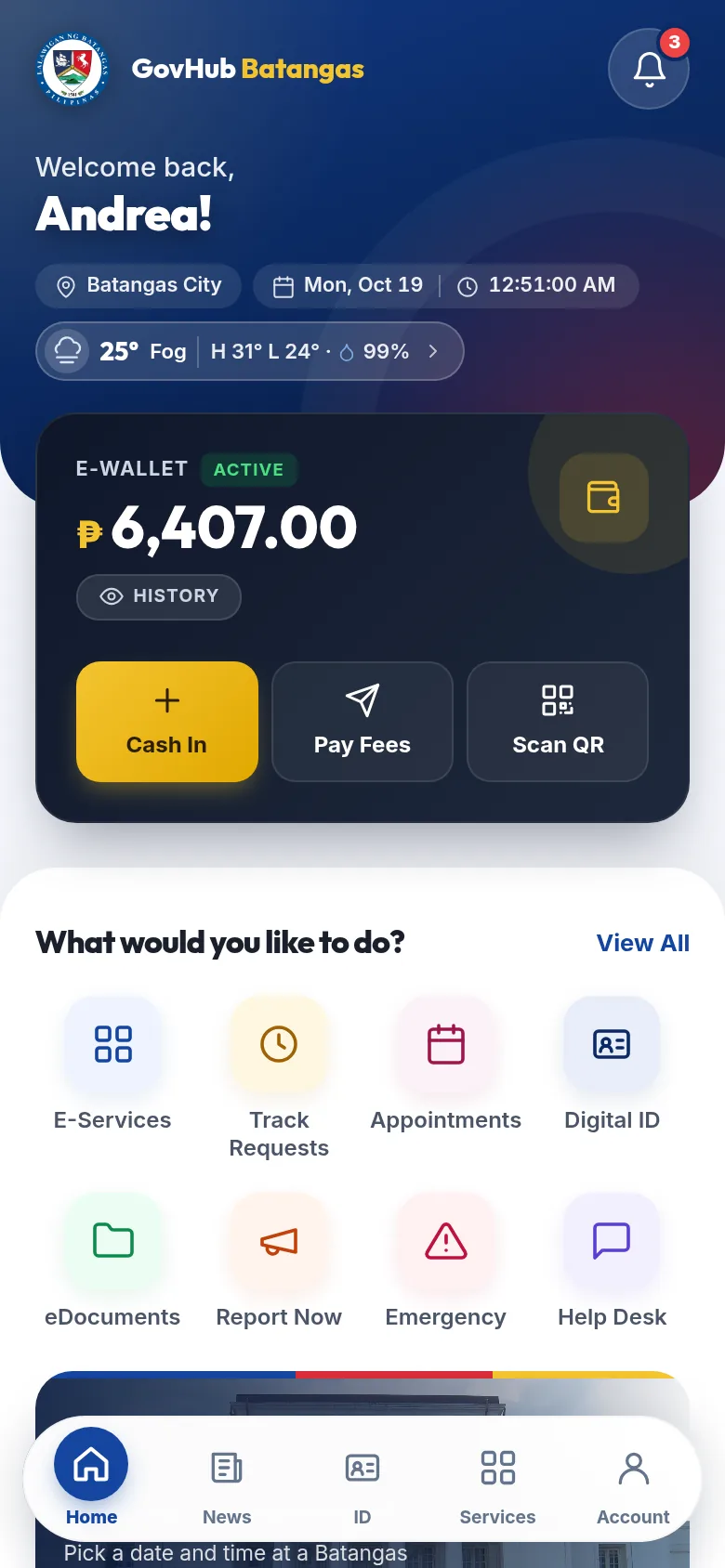
Everything you need from your provincial and city hall
One account for e-services, payments, IDs, advisories and learning.
E-services in one place
Apply for clearances, permits and certificates online and track every step.
Pay fees
GCash, Maya, bank and card payment confirmations with digital receipts.
Appointments
Book a slot at a provincial or LGU office and get reminders.
Digital Batangas ID
A verified digital ID card with QR, plus your PhilHealth, SSS and other cards.
Report Now
Report potholes, floods or broken streetlights with GPS and photos.
E-learning
Free short courses with quizzes and printable certificates.
Live streams
Watch provincial sessions and advisories live, with replays.
Alerts and push
Weather, road and emergency advisories straight to your phone.
More inside GovHub Batangas
Your LGU can switch each module on or off from the staff console.
Cash in, pay fees with GCash, Maya, bank or card, and keep every receipt.
Short courses with lessons, quizzes and certificates you can verify.
Watch sessions and briefings live, with a LIVE badge and replays.
One-tap police, fire, rescue and disaster office numbers, plus urgent alerts.
Support tickets with replies from staff, tracked in one place.
Provincial news, places to visit and local food spots across Batangas.
Road advisories, closures and diversions before you travel.
Content, hotlines and staff dashboards filtered by city and barangay.
Face scan with liveness and fingerprint sign-in through device passkeys.
Status updates and advisories on your phone, even when the app is closed.
One-time codes by SMS or in-app message to confirm your mobile number.
Current conditions and a 4-day forecast for your town.

From sign-up to release in four steps
Register
Create an account with your email and mobile number, then confirm the one-time code.
Verify
Upload a valid ID and do a quick face scan. Staff review it, then your identity is locked against changes.
Apply or book
Choose a service, fill in the form, attach documents and pay the fee online.
Track and receive
Follow the status in real time and get notified when your document is ready.
Popular e-services
Your LGU decides which services, fees and requirements are offered.
Built to protect your identity
Designed around the Data Privacy Act of 2012 (RA 10173).
Encrypted secrets
Payment and SMS provider keys are encrypted at rest. Passwords are hashed.
Face scan with liveness
Head-turn liveness and a match against your ID or profile photo. You give consent first, and can turn it off.
Fingerprint without the fingerprint
Fingerprint sign-in uses WebAuthn passkeys. The fingerprint never leaves your phone; we only store a device credential.
Data Privacy Act
Clear consent screens, private storage for ID photos and face snapshots, audit logs for staff access.
A staff console your team will actually use
Start in Sandbox with sample data, set up your gateways and SMS provider, then switch to Live with one PIN-protected switch.
Open Staff Console→Live dashboard
Applications, payments, reports and appointments at a glance, filtered by city or barangay.
Roles and permissions
Fine-grained staff permissions per module, scoped to a municipality or barangay.
Your branding and modules
Upload your seal and logo, switch modules on or off, and run in Sandbox until you are ready to go Live.
Exports and audit
Excel and CSV exports, biometrics and e-learning reports, and a full audit trail.
Frequently asked questions
Is GovHub Batangas an official government service?
No. This is a demo portal by J. A. Mendo and is not an official Province of Batangas service.GovHub Batangas is an e-services portal by J. A. Mendo. It is not an official Province of Batangas service.
Do I need to install an app?
No. Open the mobile app in your phone browser and add it to your home screen. An Android app is also available.
How do I pay fees?
Choose GCash, Maya, a bank transfer, or card where available. Staff confirm the payment and your receipt appears in the app.
What happens to my face scan?
The scan runs in your browser. We keep a small snapshot and a face template for verification, stored privately. Turning off face recognition erases the template.
Can I change my name after verification?
No. Once your identity is verified, your name and date of birth are locked. If something is wrong, contact the Help Desk and the LGU can correct it.
Are the courses free?
Yes. Finish all lessons and pass the quiz to get a certificate with a verification code.
Need help?
Reach us inside the app so your request is tracked.